

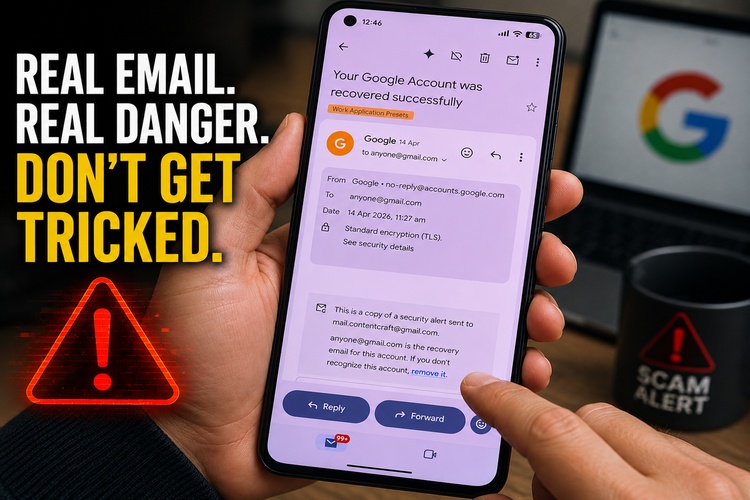
For years, one of the easiest ways to spot a phishing email was checking the sender. If it didn’t come from Google, Microsoft, or your bank, you deleted it.
Unfortunately, cybercriminals are evolving.
Security researchers recently documented a phishing technique so convincing that the email actually comes from Google’s own servers. The sender address is legitimate. The security checks pass. The email may even appear in the same conversation as previous genuine Google security notifications.
That doesn’t mean your Google account has been hacked.
It means scammers have found a way to abuse Google’s own tools against you.
The scam
The email typically claims that a recovery contact has already been added to your Google account.
That’s an alarming message. If someone can add themselves as a recovery contact, they’re one step closer to taking over your account.
The email often names a person you’ve never heard of and urges you to click a link immediately to secure your account.
Everything about it looks authentic because much of it is.
The email originated from Google’s infrastructure rather than from a spoofed domain. Traditional advice like “check the sender” simply isn’t enough for this attack.
🍁 Make a One-Time Contribution — Stand Up for Accountability in Vermont 🍁
How the trick works
Rather than breaking into Google, attackers exploit legitimate Google features.
Researchers found that attackers were able to inject alarming text into fields used by Google’s recovery notification system. Google then wrapped that attacker-supplied text inside a genuine notification email.
The result is an email that is technically real but contains fraudulent content.
To make matters worse, attackers used special Unicode spacing characters—far wider than ordinary spaces—to push the legitimate notification far down the page. Most people never scroll far enough to see the original, harmless recovery request buried underneath the fake warning.
It is a clever bit of social engineering.
The technology isn’t really the attack.
Your panic is.
Even the website looks real
The links often point to pages hosted on Google Sites, Google’s free website hosting service.
That means the address may contain google.com, giving many users a false sense of security.
But not every page hosted under Google’s domain belongs to Google itself.
Anyone can create a Google Sites page.
The phishing page copies Google’s sign-in screen and waits for victims to type in their username, password, or authentication code.
Once they do, the attackers have exactly what they came for.
What should you do?
The single biggest mistake people make is clicking the link in the email.
Don’t.
Instead:
- Open a brand-new browser tab.
- Type myaccount.google.com yourself.
- Sign in normally.
- Review your Security settings.
- Check your recovery phone numbers, recovery email addresses, and recovery contacts.
If nothing has changed, your account is almost certainly fine.
Never use the links in an unexpected security email, even if the email appears legitimate.
Turn on stronger protection
If you haven’t enabled two-factor authentication (2FA), now is the time.
Authenticator apps are significantly safer than receiving security codes by text message.
Even better are passkeys or physical security keys such as YubiKeys.
A physical security key requires you to possess the actual device before a new login can be approved, making remote account theft dramatically more difficult. Google continues to recommend passkeys and stronger authentication as the best defense against phishing attacks.
If you already clicked
Don’t panic—but don’t wait.
Immediately visit=> https://myaccount.google.com
Then:
- Change your password.
- Remove any unfamiliar recovery information.
- Review recent login activity.
- Sign out devices you don’t recognize.
- Enable two-factor authentication or passkeys if they aren’t already active.
If you suspect someone gained access to your account, Google’s account recovery and security tools walk you through securing it again.
The bigger lesson
Cybersecurity advice used to be simple:
“Don’t trust emails from fake senders.”
That advice is no longer enough.
Today’s attackers increasingly abuse legitimate cloud services—Google Sites, Microsoft 365, Dropbox, DocuSign, PayPal, and others—to make scams appear trustworthy. Instead of forging identities, they borrow the credibility of companies people already trust.
The safest habit isn’t checking who sent the email.
It’s refusing to follow links in unsolicited security alerts.
If you receive a warning that your Google account has a problem, ignore the email entirely.
Open your browser.
Type the address yourself.
Log in directly.
Thirty extra seconds could save years’ worth of email, photos, financial accounts, and digital memories.
Dave Soulia | FYIVT
You can find FYIVT on YouTube | X(Twitter) | Facebook | Parler (@fyivt) | Gab | Instagram
#fyivt #Phishing #CyberSecurity #Gmail
Support Us for as Little as $5 – Get In The Fight!!
Make a Big Impact with $25/month—Become a Premium Supporter!
Join the Top Tier of Supporters with $50/month—Become a SUPER Supporter!


 Subscribe to RSS






Leave a Reply